


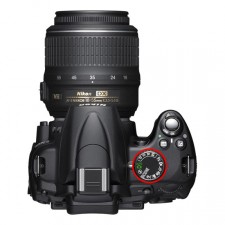
The camera mode dial is typically clearly visible on all entry-level and semi-professional cameras.
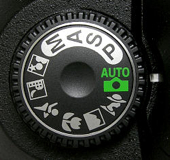
It is a large rotatable circle that has the modes listed as “P”, “S”, “A” and “M” in Nikon and “P”, “Tv”, “Av” and “M” in Canon, plus several picture icons.
Here is a picture of the mode dial (highlighted in red circle):
Portrait mode is usually specified by an icon of a woman's head  or an icon that somewhat looks like the profile of a lady in a big hat
This mode will automatically adjust the camera for portraits by setting a shallow depth of field..
Activate Portrait Mode by turning the mode dial to the portrait icon.
If you are not able to change the mode as shown in these pictures below you will need to use the manual supplied with your camera.
.
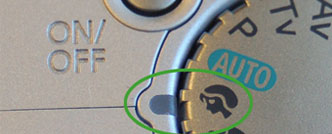
Set your own camera to portrait mode.
If you do not have a selection dial, please consult the operating manual to see how to change modes.